
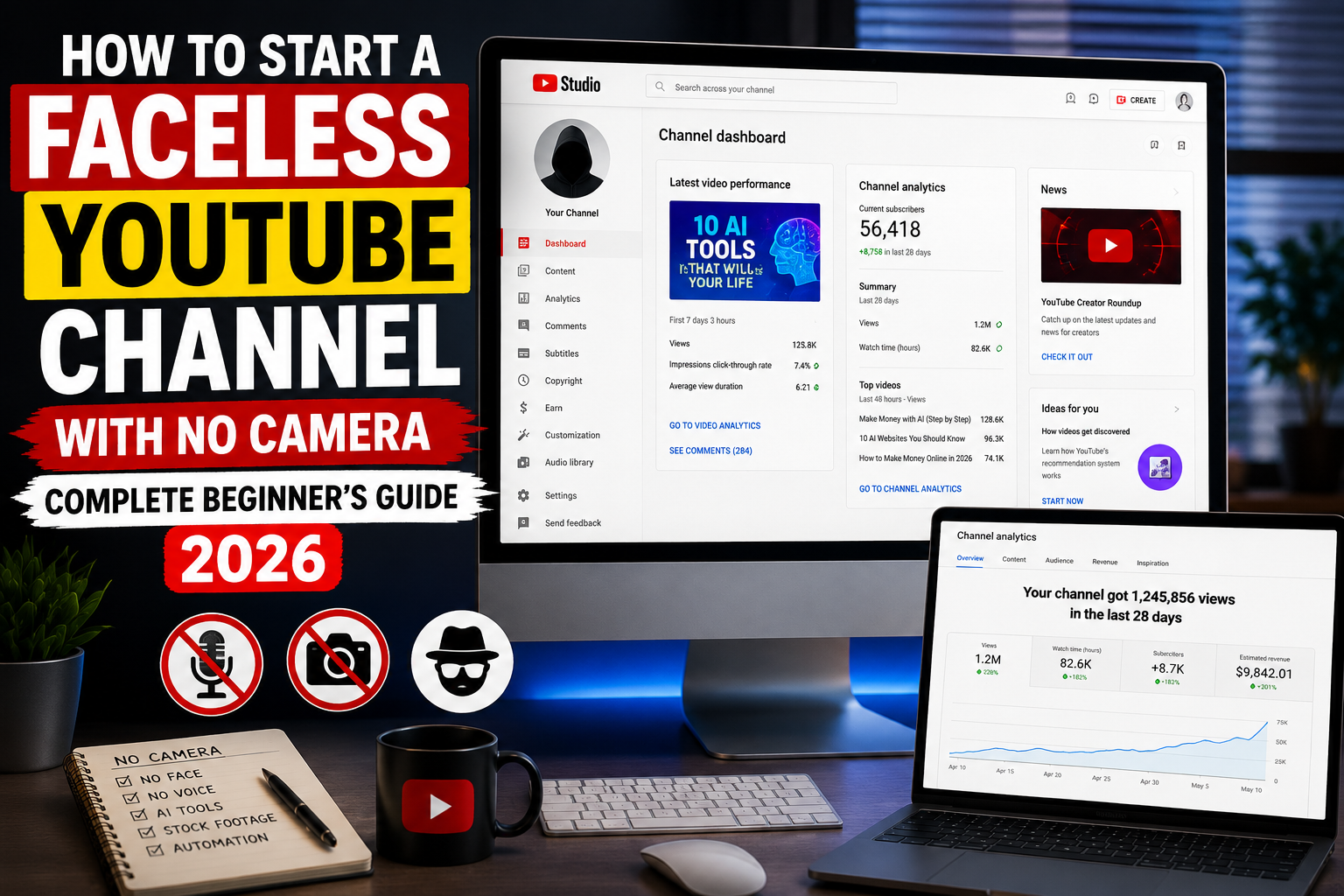
When I started my first faceless YouTube channel, I did not do any research. I just picked a niche I thought was interesting, recorded a voiceover using a free tool I found online, downloaded some random images, slapped them together in CapCut, and published. I did this for three months. Twelve videos. Hundreds of dollars spent on ads to boost the videos. And almost zero growth.
The channel was not growing because I was not following any system. I was guessing. I was picking topics I liked instead of topics people were searching for. I was designing thumbnails based on what looked good to me instead of what was proven to generate clicks. I was publishing at random times and sharing the videos with friends and family, which I later discovered was actively hurting my channel performance.
However, everything changed when I stopped guessing and started studying what was actually working. That research became the foundation of everything I now know about faceless YouTube channels. And in this article, I am going to walk you through how to start a faceless YouTube channel, avoid demonetization, and hit the monetization benchmark within weeks.
What Is a Faceless YouTube Channel?
A faceless YouTube channel is a channel that publishes videos without ever showing the creator’s face or body on camera. The content is built entirely from scripts, voiceovers, visuals, and editing. All of which can be produced using free AI tools from your phone or laptop.
No studio. No camera equipment. No lighting setup. No personal appearance.
This model works because YouTube does not care who is behind the content. All it cares about is watch time, click-through rate (CTR), and audience satisfaction (AVD). A well-researched script delivered by a professional AI voiceover over relevant visuals can hold an audience just as effectively as a talking-head video from a creator with a professional studio setup.
The faceless YouTube channel model is also one of the strongest passive income vehicles available to an upcoming creator today. A video you publish this month can generate YouTube ad revenue for years without you touching it again.
Now that you know what a faceless YouTube channel is, let’s dive into the step-by-step process of setting up your YouTube channel.
Step 1 — Choose a Micro Niche Before Anything Else
The single biggest mistake I made when starting my first faceless channel was choosing a niche that was too broad. A channel about “money” competes with thousands of established channels that have years of content, millions of subscribers, and significant algorithmic authority. You cannot beat them by doing the same thing they do.
The solution is to go narrow by choosing a micro niche. A micro niche is a specific, focused corner of a broader topic where competition is lower, audience targeting is more precise, and the algorithm can place your content in front of exactly the right viewers.
Examples of broad niches vs micro niches:
| Broad Niche | Micro Niche |
|---|---|
| Finance | Personal finance, make money online, investment strategy |
| Health | Mental health tips, nutrition, yoga exercise. |
| Technology | Software reviews, wearable reviews |
| Motivation | Wealth-building mindset, psychology niche |
| Documentry | True crime documentary |
Choose your micro niche before creating any content. Every video you publish should belong to the same conversation, audience, topic family, and tone. This consistency is what trains the algorithm to understand who your channel is for and who to recommend your videos to.
Step 2 — Research What Is Already Working
Before writing a single script, spend at least one week studying the top-performing channels in your chosen micro niche.
Here is exactly what to study:
- What topics are generating the most views in the last three months?
- What title formats keep appearing among high-performing videos?
- What thumbnail styles dominate the top results in your niche?
- What video lengths are performing best — short form or long form?
- What are viewers saying in the comments — what do they want more of, what are they questioning, what are they requesting?
The comments section of top-performing videos is one of the most valuable research tools available to a new creator. Viewers tell you exactly what they want next if you pay attention. Build your first ten video ideas from the patterns you find — not from what you personally think is interesting.
Step 3 — Write Your Script Using AI
Your script is the foundation of every video. A weak script cannot be saved by professional visuals or a great voiceover. A strong script, on the other hand, can hold an audience even with average production quality.
Use ChatGPT for research, such as to summarise complex topics, identify interesting angles, and surface relevant data and statistics. Then move to Claude to write the full script. Claude produces more naturally human-sounding content than most other AI writing tools, which is critical for faceless YouTube channels where the script is doing all the emotional work.
If you want maximum retention, follow this script structure:
Hook — first 3 seconds
Your opening line must create immediate curiosity or identify a pain the viewer feels strongly. Never open with “In this video I am going to talk about” or “Welcome back to the channel.” These phrases signal that nothing important is happening yet and viewers leave.
Strong hook examples:
- “Most people will never build wealth online. Not because they lack talent but because nobody told them this one thing.”
- “A 24-year-old in Ghana made $5000 last month from YouTube without showing his face once. Here is exactly what he did.”
First 30 seconds — lock the viewer in
After the hook, you have approximately thirty seconds before attention starts drifting. Every sentence must pull the viewer to the next one. Keep sentences short. Keep points tightly connected. Read your script out loud. If you pause awkwardly anywhere, that sentence is too long.
Body — deliver the promised value
Structure your content in clear numbered points or a logical progression that builds toward a satisfying conclusion. And ensure you deliver your promised value early. If it is a 10-minute video, deliver your promise within 3- 4 minutes into the video. Use stories and specific examples wherever possible. Storytelling holds attention far longer than information delivery alone. And make the story personal so that listeners will be connected.
Ending — leave them wanting more
End with an unresolved question or a teaser that brings viewers back: “But here is the part most people get completely wrong and we will cover that in the next video.”
Step 4 — Generate Your Voiceover
Once your script is complete, you have two options for audio:
Option 1 — Use your own voice
This is the better option for channel longevity. YouTube’s algorithm is increasingly identifying fully AI-generated channels, and the platform frowns at content with no human input. Your real voice — even when recorded on a phone in a quiet room — adds a human authenticity that protects your channel and builds a stronger audience connection.
Option 2 — ElevenLabs AI voiceover
If you prefer to keep the channel fully faceless, including the audio, ElevenLabs produces the most realistic AI voiceovers currently available. Paste your script into the text-to-speech interface, select a natural-sounding voice, adjust the speed, stability, and similarity settings for natural variation, generate your audio, listen to it and download the audio file.
Note the total duration of your audio file — you will need it in the next step.
Option 3 — Improve audio quality
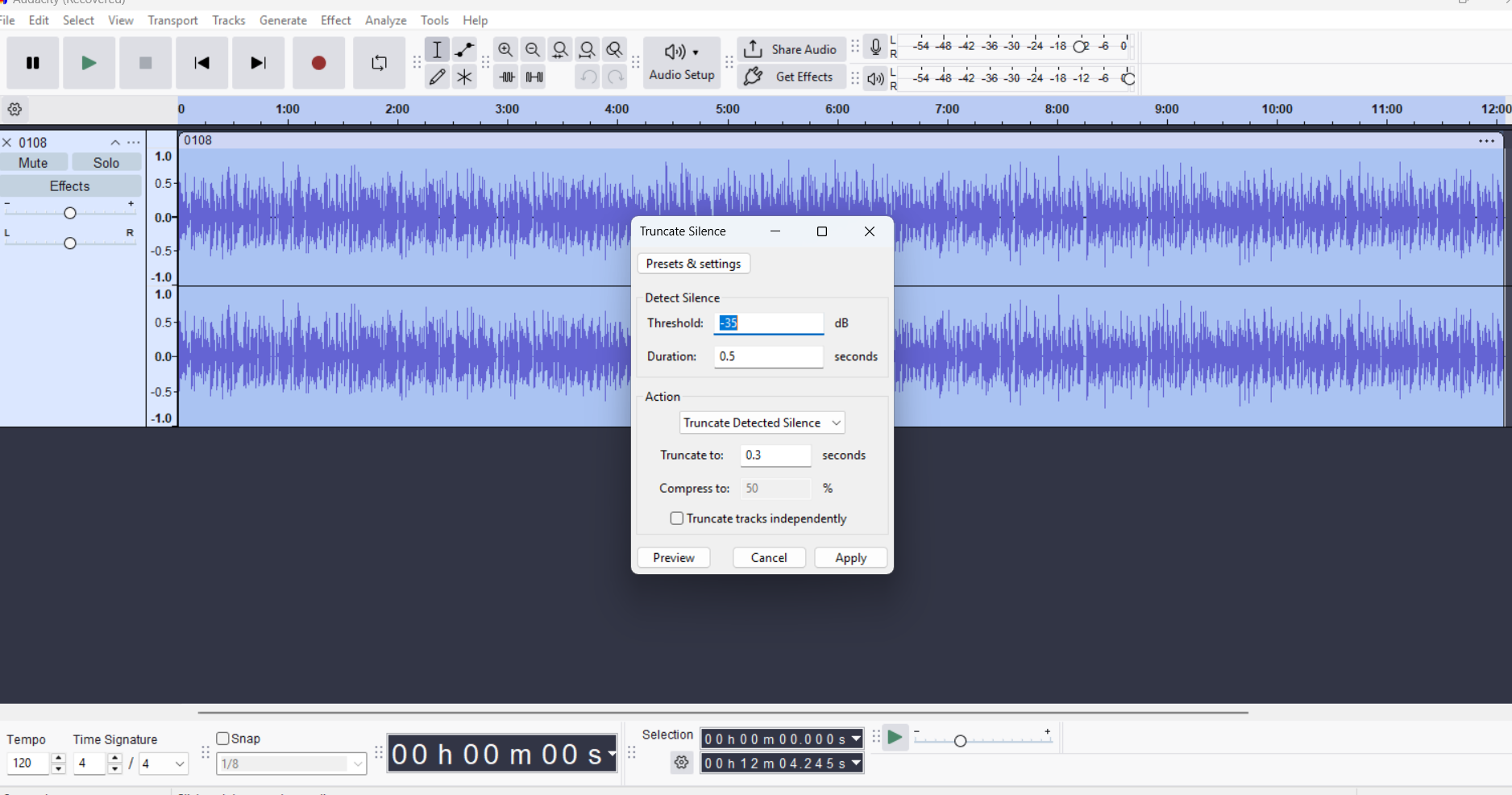
If the AI voice sounds too robotic or contains long unnatural pauses, you can improve it using Audacity. Open Audacity and import your downloaded audio file. Go to Effect → Special → Truncate Silence.
For most voiceovers, start with these settings:
- Threshold: -35dB
- Duration: 0.5 seconds
- Truncate To: 0.3 seconds
This tool automatically removes excessive pauses between sentences and words, making the narration sound more natural and engaging.
Step 5 — Create Your Visuals
A faceless YouTube channel needs visuals to fill the screen while the audio plays. These visuals must be varied, relevant to each section of the script, and never repeated across multiple videos.
Your visual toolkit:
- ChatGPT image generator — Use ChatGPT to create custom AI images timed to specific scenes in your script. Generate a fresh set of images for every video. And remember that reusing the same images across multiple videos signals low-effort content to YouTube’s algorithm.
- Google Gemini — Use it to generate charts, data visualizations, and infographic-style images. For finance, education, and news-based channels, real data charts add credibility and visual variety
- Real screenshots and data — Add screenshots of news articles, statistics pages, and relevant websites. The goal is to add a human research layer that pure AI imagery cannot replicate
The image prompt workflow:
After generating your audio, return to Claude with your script and audio duration. Ask Claude to generate a detailed image prompt document — one prompt per scene, timed to cover a minimum of three seconds per image across the full audio duration. Take those prompts to ChatGPT’s image generator one by one and produce each visual.
Aim for a visual ratio of approximately 70 percent real data, charts, and screenshots to 30 percent AI-generated images. Too many AI images in a single video makes content feel generic and negatively affects audience retention.
Step 6 — Edit Your Video Using CapCut
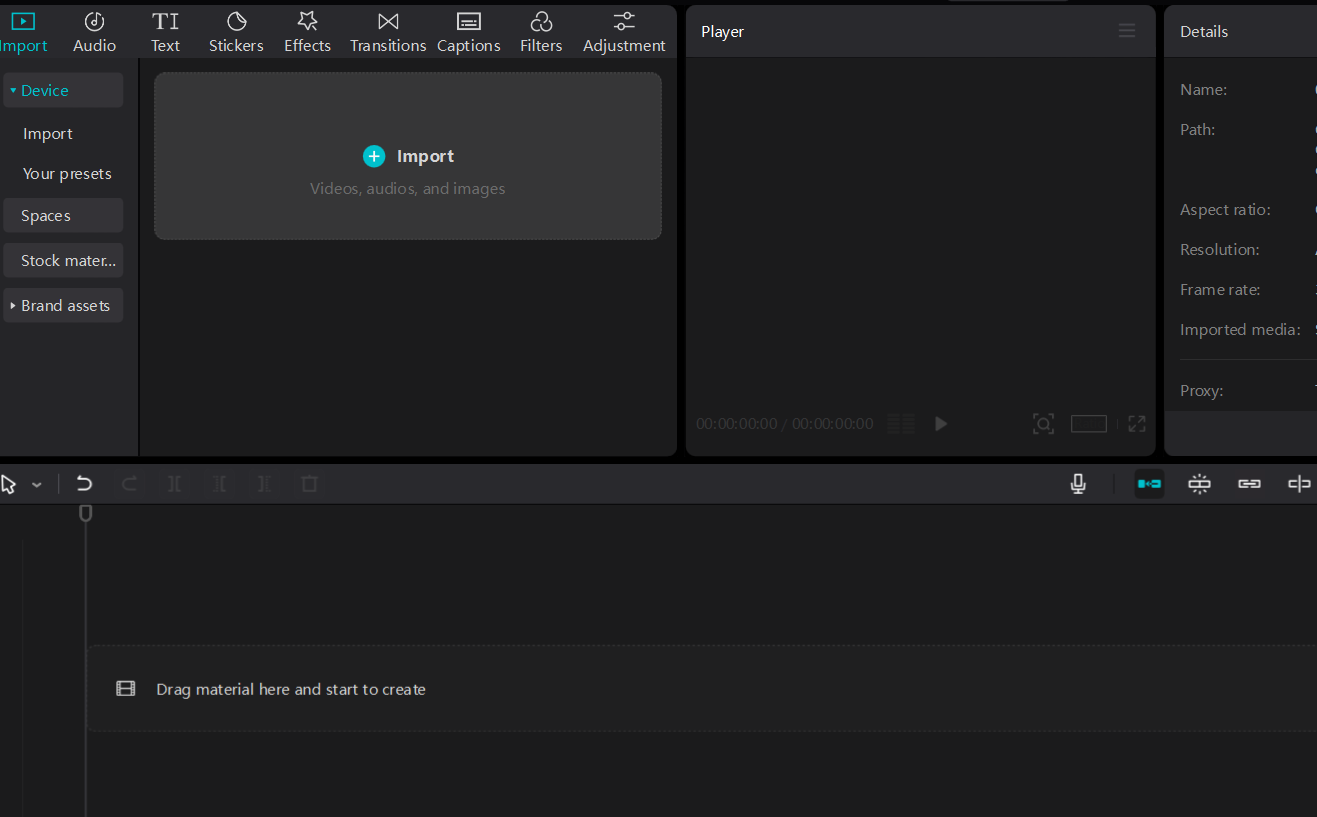
CapCut is the most beginner-friendly free video editor available and works on both mobile and desktop. Here is the basic editing workflow you can use:
- Open CapCut and create a new project
- Import your voiceover audio file first and place it on the timeline
- Import your visual files and place them on the video track, timing each image to match the corresponding section of the audio
- Add auto-captions using CapCut’s built-in caption feature. Captions significantly improve retention because many viewers watch without sound
- Add background music at low volume — subtle enough to feel atmospheric without competing with the voiceover
- Export in 1080p quality
Step 7 — Design a Thumbnail That Gets Clicks
Your thumbnail is the most important single element determining whether your video gets watched. Before a viewer hears a single second of audio, they see your thumbnail in the feed and make a split-second decision about whether to click.
Here are some thumbnail tips to follow, which I have personally tested:
- Study the thumbnails of the top five performing videos in your niche — identify the color schemes, text styles, and compositional patterns that dominate
- Use one strong central visual — do not clutter the thumbnail with multiple competing elements
- Use bold, high-contrast text of three to five words maximum — the text should create curiosity, not summarise the video
- Use arrows pointing toward key visual elements — they direct the eye naturally and consistently improve click-through rates (CTR).
- Avoid dark, muted color schemes that blend into the feed — high-contrast thumbnails stand out
Design your thumbnails in Canva using AI-generated images from ChatGPT or Adobe Firefly as your central visual.
Step 8 — Write Your Title and Description
Your title
Your title and thumbnail work together. The thumbnail creates curiosity. The title converts that curiosity into a click. Avoid generic titles. Use curiosity-driven formats, question-based titles, or bold statements that make the viewer feel they are missing something important.
Strong title formats:
- “Why Most Young Africans Will Never Build Wealth Online (And What To Do Instead)”
- “The Truth About Faceless YouTube Channels Nobody Is Telling You”
- “I Built a YouTube Channel Without Showing My Face — Here Is What Happened”
Your description
Your description serves two audiences — your viewer and YouTube’s algorithm. Write a clear, keyword-rich first paragraph that accurately describes your video content. YouTube uses Google Gemini, which now scans descriptions to understand what a video is about and who to recommend it to. So, the first paragraph in your description should include keywords about your video and a clear understanding of your video.
A vague or empty description leads to audience mismatch. This means your video is shown to people who are not interested in your content, resulting in poor click-through rates (CTR) and low average view duration (AVD), which signal to the algorithm that your video is not worth distributing.
Step 9 — Understand the YouTube Algorithm and the 48-Hour Window
When you publish a video, YouTube does not immediately show it to millions of people. It runs a test — showing your video to a small sample audience and measuring how they respond. If that sample clicks at a healthy rate and watches for a meaningful duration, YouTube pushes the video to a larger audience. But if they do not respond, the algorithm stops distributing the video, and it becomes dead. That’s why you see some views after 24 to 48 hours of publishing a video, and then suddenly your YouTube Studio goes blank with zero views.
This testing window is approximately 24 to 48 hours. Now, here is how to give your video the best chance during that window:
Monitor your CTR after 12 hours
CTR — Click Through Rate measures the percentage of people who saw your thumbnail and clicked on it. A healthy CTR for a new channel is between 4 and 10 percent. If your CTR is below 2 percent after the first twelve hours, change your thumbnail. You have one meaningful opportunity to do this before the testing window closes.
Monitor your AVD
AVD — Average View Duration measures how long the average viewer watches before leaving. High CTR brings viewers in. High AVD keeps them there. YouTube rewards videos with both.
Never share your video with friends and family
This is counterintuitive but critical. Friends and family who are not genuinely interested in your niche watch briefly and leave or do not watch at all. Apart from that, if you share your finance video to a friend who is more interested in movies, and he watches it from the beginning to the end. The algorithm will think it has found a match for your video and start recommending your videos to people interested in movies.
That will end up hurting your AVD because this set of people is not interested in finance videos. And this poor retention data signals to the algorithm that your content is not engaging, and you get penalized for it. So, let the algorithm find your real audience organically.
Never run YouTube ads on your videos
Paid ad viewers did not choose your video — it was pushed to them. They have poor retention, which poisons your video’s data and confuses the algorithm about who your real audience is.
Step 10 — Read Your YouTube Studio Data
YouTube Studio is your most important tool as a creator, and most beginners barely look at it. Every decision about your channel should be informed by data, not guesswork.
Here are some of the key metrics to monitor:
Impressions and CTR — how many times your thumbnail was shown and what percentage of viewers clicked. Low CTR means your thumbnail or title needs work.
Average View Duration — what percentage of your video the average viewer watches. If viewers are dropping off at a specific point, review your script at that timestamp. There is likely something there that is losing their attention.
Traffic sources — where your views are coming from. Suggestion feed traffic is the engine of YouTube growth. Browse feed traffic means the algorithm is actively pushing your content. If most of your traffic is coming from direct search only, the algorithm has not yet decided to recommend your content broadly.
Audience demographics — are the right people watching? If your channel targets young Africans but your analytics show a majority of viewers from a different demographic, your titles, descriptions, or topics may be attracting the wrong audience. The fastest way to fix that is to review your title and thumbnail to see if it clearly defines your video.
Study these numbers after every video. Let them guide your next decision.
How to Avoid YouTube Channel Demonetization
In the past weeks, thousands of YouTube channels have been demonetized, and the majority of these channels are linked to AI. Now, let’s look into why these channels are getting demonetized and how to avoid it.
Inauthentic or repetitive content
YouTube’s systems — now powered by Google Gemini — scan uploaded content to assess originality and human input. Channels that publish template-based videos where the structure, images, and narration style are virtually identical across every upload are being flagged for inauthentic content. So, if you want to avoid that, every one of your videos must feel genuinely distinct — different research angle, different visual approach, different script structure.
Mass-produced AI content with no human input
Channels that are clearly running a factory operation, such as uploading multiple videos per day using the same AI tools with no original perspective or research, are being demonetized faster these days. Quality always beats quantity on YouTube in 2026. Two well-researched, distinctly produced videos per week outperform ten identical template-based ones every time.
Reused visuals across multiple videos
Using the same set of AI-generated images in video after video is one of the strongest signals of low-effort content. So, as a new YouTuber, generate fresh, specific visuals for every of your video.
Storytelling niches without human verification
Channels in the African folktale, motivational story, and narrative history niches have faced high demonetization in recent months. If you are in one of these niches, start your video with a short segment referencing a current event or recent news story before transitioning into the main content. This human, time-relevant layer signals to YouTube’s algorithm that a real person with real awareness of the world produced the content.
Copyright violations
Never use copyrighted music, footage, or images without proper licensing. Use royalty-free music from Suno AI, YouTube’s own audio library, or licensed platforms. Use images generated by Adobe Firefly or ChatGPT’s image generator, which produce commercially safe outputs by default. And avoid using AI to replicate images of celebrities and using them in your videos.
Publishing Schedule and Long-Term Strategy
Publish two to three times per week. This is frequent enough to give the algorithm consistent signals that your channel is active without sacrificing the quality that retention requires.
Start with shorter videos. For a new channel, five to eight-minute videos are easier to script, faster to produce, and give you more data points to learn from quickly. Extend video length gradually as your understanding of your audience improves.
Create related videos. Build your content so each video connects naturally to others on your channel. A viewer who watches one video and finds related content on the same topic is more likely to watch multiple videos in a session, increasing your total watch time and training the algorithm to recommend your channel more aggressively.
Be patient. Most faceless YouTube channels take three to six months of consistent publishing before meaningful growth begins. The creators who build sustainable channels are not the most talented; they are the ones who kept publishing when nothing seemed to be working and let the algorithm data guide every adjustment.
Frequently Asked Questions
Do I need expensive equipment to start a faceless YouTube channel?
No. A phone, a free ElevenLabs account, free CapCut software, and a free Canva account are everything you need to publish your first video. The quality of your research and script matters far more than the quality of your equipment at the start.
How long before a faceless YouTube channel makes money?
YouTube requires 1,000 subscribers and 4,000 watch hours to qualify for the Partner Program. For a channel publishing consistently twice a week in a focused micro niche, this typically takes three to six months. Some channels reach this milestone faster depending on niche competition and content quality.
What is the best niche for a faceless YouTube channel?
Investing, passive income, tech reviews, motivation/psychology, and true crime documentary stories are among the highest-performing niches for faceless channel creators right now. Finance pays the highest ad rates per thousand views, which makes it the most financially rewarding niche for channels that reach monetization.
Want the complete step-by-step guide to building multiple online income streams using AI — including faceless YouTube, Amazon KDP, freelancing, and digital products? Get the AI Hustle eBook.
Leave a Reply